Home office setup ideas for remote workers
A good home office setup puts the desk side-on to a window, the screen straight ahead at least 20 inches away with its top at or just below eye level, and the chair at a height where your feet rest flat. Add a headset, a lamp that lights your face, and a tidy background for calls.

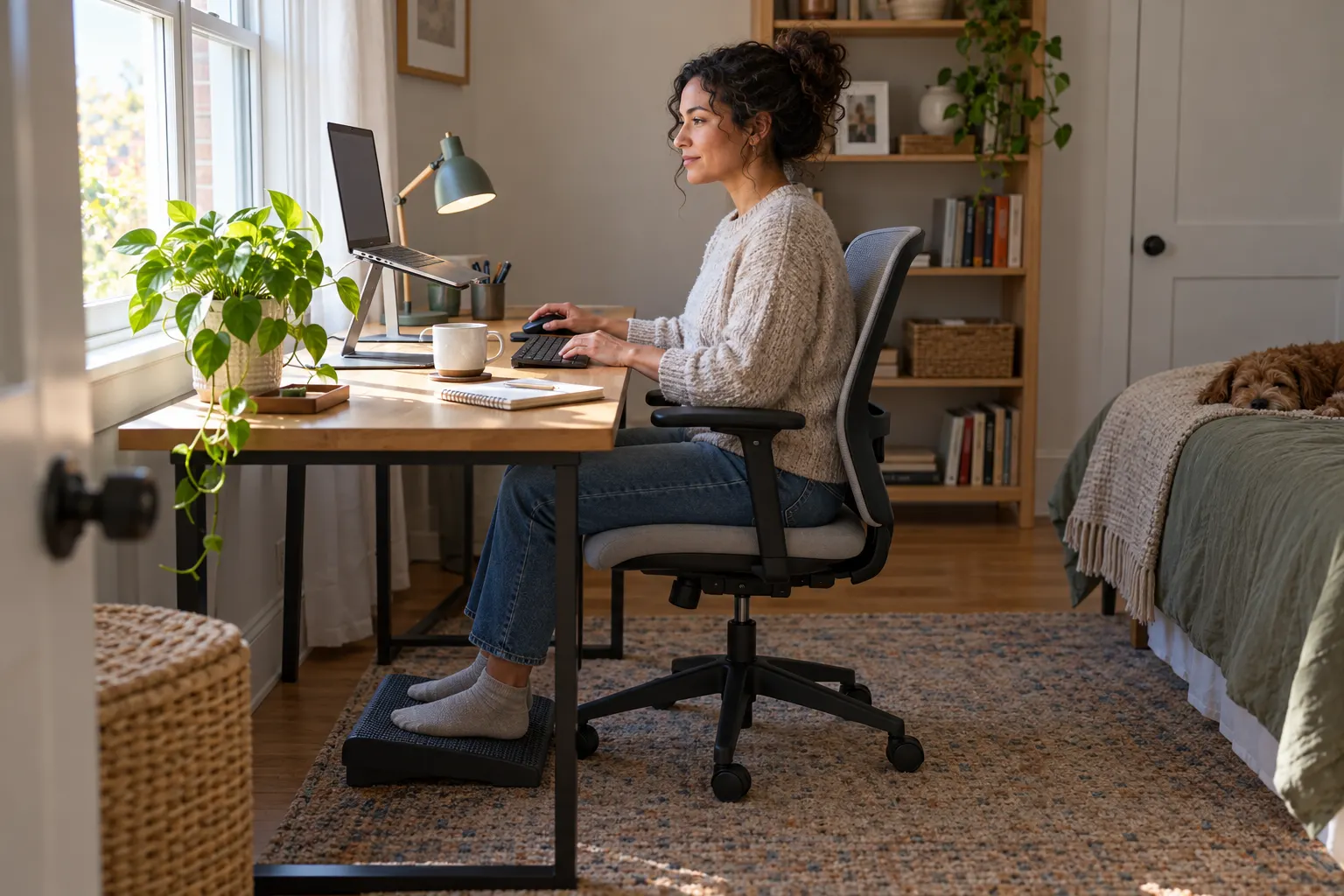
You don’t need a spare room or a big budget. Most of a good setup is where things go: the desk, the screen, the light and the chair. This guide covers that first, then sound, video calls, small spaces and design, and ends with what an employer can pay for.
8 home office layouts compared
Where the desk sits decides your light, your call background and how much the room distracts you. On a phone, swipe the table sideways.
| Layout | Best for | Watch out for |
|---|---|---|
| Side-on to a window | Most rooms: daylight without glare on the screen | Blinds for the hour the sun comes straight in |
| Facing a wall | Focus work and fewer distractions | A blank wall gets dull, so hang one thing you like |
| Facing into the room | Video calls with a real room behind you | Whatever sits behind you is in every call |
| Corner L-shaped desk | Two screens, or a laptop plus paper work | Dark corners need a lamp on the far side |
| Closet office | Apartments with no spare room | Air and light: add a lamp and leave the doors open |
| Console desk behind the sofa | Living rooms where the desk should read as furniture | Check the height before you buy; many consoles run tall |
| Fold-down wall desk | Tiny spaces where the desk must disappear at 6 pm | Shallow tops: keep the screen at least 20 inches away |
| Two people working from one room | Put desks back to back so calls don't overlap |
Set up the desk and chair
These are the basics from OSHA’s computer workstation guidance, in the order to adjust them. Do the chair first, because everything else is set from where you sit.
- Start with the chair. Set the height so your feet rest flat on the floor. If the desk is fixed and your feet dangle, add a footrest.
- Support your lower back. The backrest should fit the curve of your lower back. A small cushion works if your chair has no lumbar support.
- Keep your elbows close. Shoulders relaxed, elbows near your sides and bent between 90 and 120 degrees, wrists straight over the keyboard.
- Put the screen straight ahead. Directly in front of you and at least 20 inches away; OSHA puts the usual range at 20 to 40 inches.
- Set the top of the screen at eye level. At or slightly below eye level, so you look a little down at your work, not up.
- Raise the laptop. A laptop screen sits too low. Put it on a stand or a stack of books and use a separate keyboard and mouse.
- Get up often. OSHA suggests short breaks to stand, stretch and move. A few desk stretches between calls count.
For the breaks, try a few of our desk exercises between calls. This is general guidance; if something hurts, talk to a doctor or a physical therapist.
Get the light right
The goal is daylight in the room but not on the screen, and light on your face rather than behind it.
- Turn the screen side-on to the window. Light from the side, not behind the screen or behind you.
- Use blinds or sheer curtains. They let daylight in without washing out the screen.
- Add a shaded desk lamp. A shade keeps the bulb out of your eyes and off the screen.
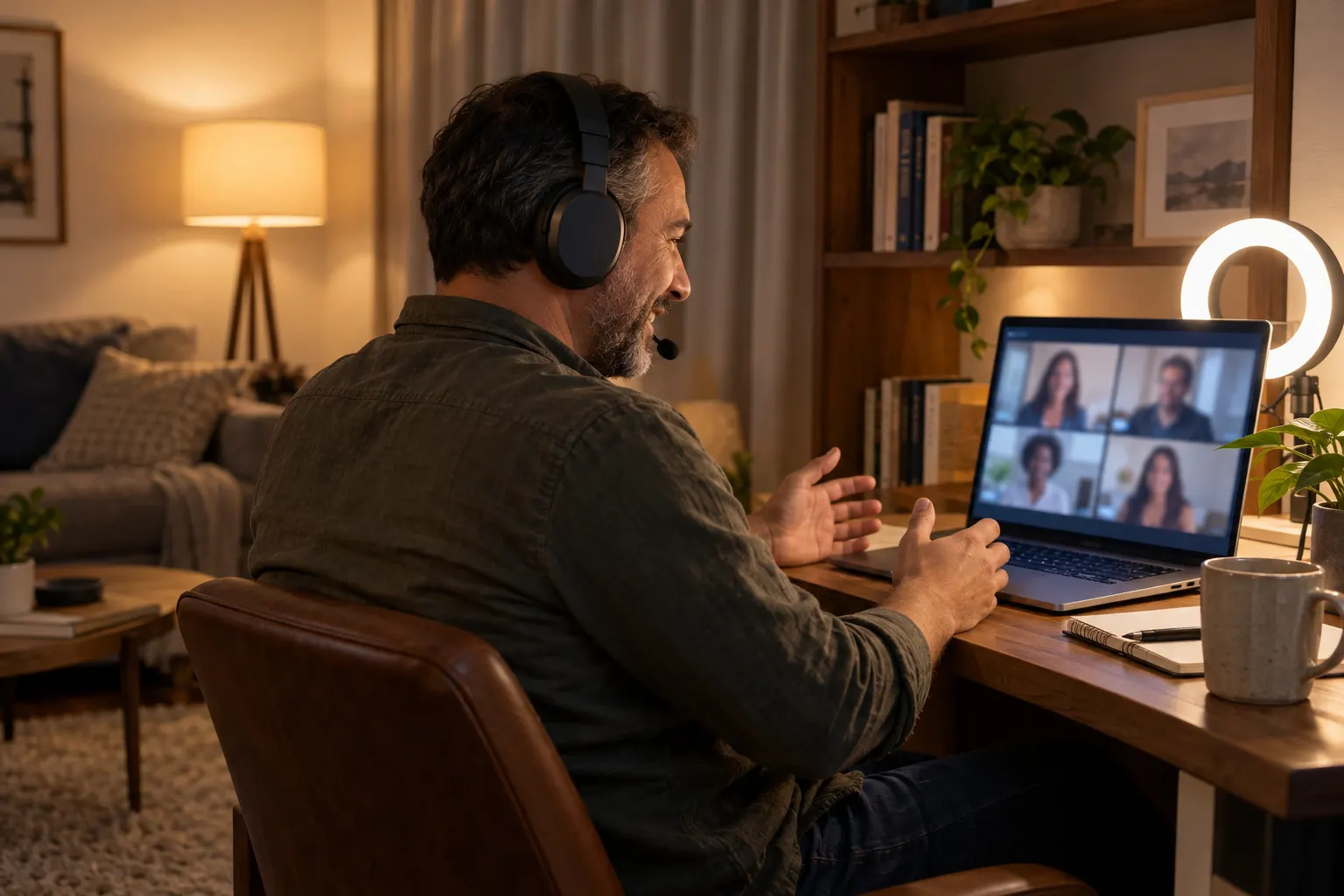
- Light your face from the front. A lamp or ring light behind the laptop, facing you, fixes a dark face on calls.
- Pick one color of bulb. Mixing warm and cool bulbs in one room makes skin look odd on camera.
Fix the sound
Bad audio wears out a call faster than a bad picture. Start with the headset.
- Wear a headset with a mic. It does more for call quality than any room change.
- Add soft things. A rug, curtains and a full bookshelf take the echo out of a bare room.
- Close the door, then say so. Agree on a sign at home that means you are on a call.
- Point the mic away from noise. Sit with the window or the street behind the mic, not in front of it.
- Keep a quiet backup spot. Know which room you move to when the dog, the builders or the kids arrive.
Make it video-call ready
Put the camera at eye level, the light in front of you, and choose what sits behind you on purpose.
- A bookshelf, edited. Fewer books, a plant and some space between things.
- A plain wall and one print. Calm, and it works in any room.
- A plant at the edge of the frame. Something living takes the edge off a plain room.
- A door, closed. Nobody walks through the back of your call.
- Nothing private. Check the frame for family photos, laundry and the whiteboard with your passwords.
Home office ideas for small spaces
A closet, a fold-down desk or a console behind the sofa (see the layouts above) plus a few habits that make a small spot work all week.
- Go up the wall. Shelves above the desk keep the top clear.
- Use a rolling cart. Supplies roll out in the morning and under a table at night.
- Choose a shallow desk. Fifty centimeters (about 20 inches) deep fits most laptops and a keyboard.
- Run cables in a tray. A tray under the desk keeps chargers off the floor.
- Pack it away at the end of the day. A box or basket for the work kit, so the kitchen table is a table again.
- Hang a pegboard. Hooks for the headset, the notebook and the chargers free up the desk.
Home office design ideas
Once the setup works, make it a corner you want to sit in. Six ideas that cost little.
- Paint the wall you face. One calm color on one wall changes the room more than new furniture.
- Mark the zone with a rug. A rug under the desk and chair says this corner is for work.
- Hang art across from you. Where your eyes rest between tasks, not behind you where only the call sees it.
- Grow something on the desk. Herbs, an air plant or a small sand garden: a living thing to look after.
- Hide the printer. A closed cupboard for the printer, paper and cables keeps the desk calm.
- Give it a door, or a curtain. Something you can close at the end of the day, so work stays in its corner.
A remote team can grow the desk plant together. In a hosted kit workshop, the supplies ship to every home and a live host leads about an hour on Zoom or your usual platform: an herb garden class, a zen garden or a terrarium workshop. Each card shows its live price; book about 3 weeks ahead so kits reach every continental US address in time.
Herb GardeningStarting at $85 USD / person
Zen GardenStarting at $61 USD / person
Terrarium MakingStarting at $100 USD / person
What a company can provide
If you run a remote team, these six items cover most of what people need, in the order they help most.
- An adjustable chair. The single item people use eight hours a day.
- A monitor. Or a laptop stand, so the screen can sit at eye level.
- A keyboard and mouse. Needed the moment the laptop goes on a stand.
- A headset with a mic. Better calls for everyone else on them.
- A desk lamp or light for calls. Cheap, and it fixes most dark faces on camera.
- A footrest. For anyone whose feet don't reach the floor at desk height.
A home office stipend works best when it is simple:
- Pick one amount for everyone. Same number for every remote hire, so nobody compares.
- Pay it at the start, then refresh. A first-week setup amount, plus a smaller one each year for wear and tear.
- Publish a short list. Chair, screen, keyboard, headset, lamp: people spend better with a list.
- Check how it is taxed. Whether a stipend counts as taxable pay depends on how you pay it. Check with your payroll provider.
Equipment covers the desk; it doesn’t cover the team. For something that shows up at every door, see our remote employee gifts, and for ways to bring people together, see remote team building and how to reduce remote work loneliness. Planning a kit workshop for a bigger group? Get a free quote with a full plan within 24 hours.
