Virtual yoga for employees
Virtual yoga for employees is a live 60-minute class where an instructor leads your team through postures, short sequences and breathing exercises on your video call, from home or a cleared meeting room. One price for the group: $479 for up to 74 people, $675 for 75 or more.
60 minutes · Zoom, Teams, Meet or Webex · Book 2 weeks ahead
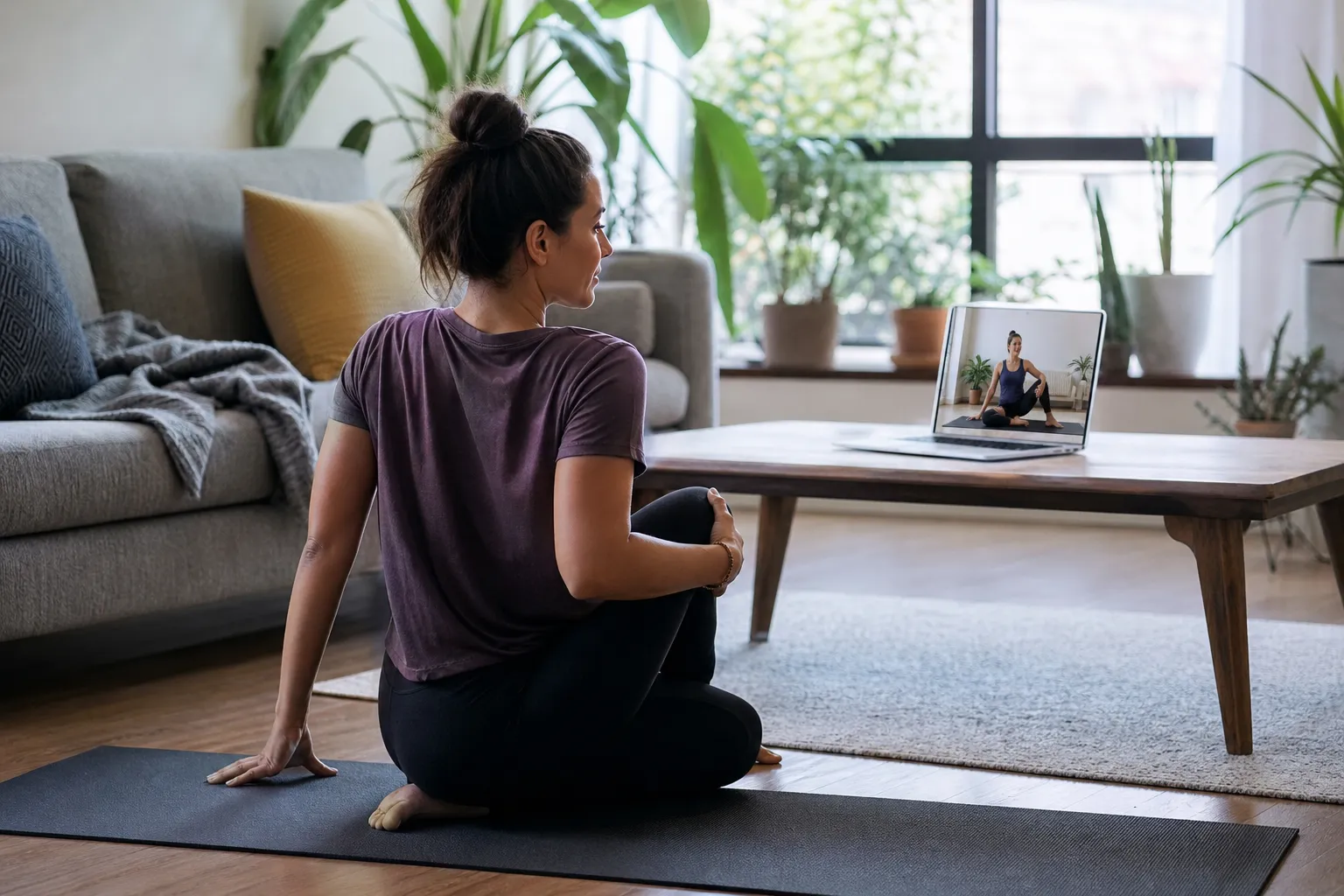
The class
One live hour with an instructor. Nothing to ship, so everyone needs only a mat and a little floor.
Starting at $20 USD / person
Yoga
A live yoga class with an instructor on your call: postures, short sequences and breathing, so people leave the hour calmer than they came.
1 hourWhat the hour covers
- Postures, held long enough to feel the stretch
- Short sequences that link one posture to the next
- Breathing exercises people can repeat at a desk later
- Time to slow down and decompress with colleagues
Each person brings
- A device on the video call
- A yoga mat
From the product page.
What a virtual yoga class costs
One price for the group, with a second price for big groups, so the cost per person drops as more people join.
| Class | 25 guests | 50 guests | 100 guests |
|---|---|---|---|
| Yoga | 25 guests$20 /person$479 total | 50 guests$10 /person$479 total | 100 guests$7 /person$675 total |
Book with an estimated headcount; if far more people join on the day, the difference is invoiced after. A 50% deposit holds the date. Get a quote for your team.
How the hour runs
A sample class: breath, an easy warm up, one main sequence and a few still minutes to finish.
- 0:00Arrive and settle · youA short hello while people roll out mats and move the laptop back.
- 0:04Breath first · your instructorSlow breathing to bring attention off the inbox and into the room.
- 0:12Gentle warm up · your instructorEasy movement for necks, shoulders and hips that spend the day in a chair.
- 0:24The main sequence · everyonePostures linked into a flow, with simpler versions offered along the way.
- 0:46Cool down · your instructorSeated and floor stretches that bring the heart rate back down.
- 0:55Rest and close · everyoneA few still minutes lying down, then back to the day.
Good to know
- Live hosted on Zoom by default; Microsoft Teams, Google Meet or Webex on request.
- Camera on or off is each person's choice.
- Tell us when you book if the group is mostly new to yoga, and we brief the instructor.
- Hybrid team? The office can join on one room screen while remote people join from home.
- Nothing ships, so anyone with a mat and a little floor can join.
Set up the space
Five minutes of setup decides whether people can follow the instructor or spend the hour squinting at a screen.
Joining from home
- Put the laptop on the floor or a low table, a few steps back, so the instructor is visible head to toe.
- Lay the mat on a floor that does not slide, away from table corners.
- Wear clothes that stretch, and keep a glass of water nearby.
- Silence chat and email alerts for the hour.
Joining from the office
- Book the largest meeting room and push the table to one wall.
- Put the call on the biggest screen and turn the room speaker up.
- Ask people to bring their own mats, or a towel if they forget.
- Put a sign on the door so nobody walks in during the final rest.
How many people already do yoga
Yoga has gone mainstream. In 2022, 15.8 percent of US adults said they had used yoga, up from 5.0 percent in 2002, according to National Health Interview Survey data analysed by the National Institutes of Health. A good share of any team has tried it, so a class is an easy yes.
Source: NCCIH, yoga use: 20-year trends; Nahin, R. L., Rhee, A. and Stussman, B. (2024), JAMA 331(7), 613 to 615.
Turn one class into a series
Most teams start with one class. These four steps turn it into a monthly habit.
Month 1
Try one class
Pick a slow afternoon, invite the whole team and keep it optional.
Straight after
Ask one question
A one-line poll: would you come again, and is lunchtime or late afternoon better?
Months 2 and 3
Make it a habit
Book the same weekday each month so it lands in calendars without a fresh invite.
Month 4
Mix in something new
Swap one class for a guided meditation or a fitness class to keep the series fresh.
Want more than yoga? Our virtual wellness page has a year of monthly classes, and workplace wellness challenges keep the habit going between them.
How far ahead to book
Lead times in weeks, counted back from your class.
| What | Book ahead | Why |
|---|---|---|
| A single class | Book ahead: 2 weeks | The product page asks for 2 weeks. Nothing ships, so a shorter window is sometimes possible: ask us. |
| A monthly series | Book ahead: 4 weeks | Our suggestion: a regular slot is easier to staff, so share the whole calendar up front. |
Prefer something stiller? Try virtual meditation. For more energy, see our virtual fitness classes.
Virtual yoga questions
What is virtual yoga for employees?
A live 60-minute yoga class on your team's video call. An instructor leads postures, short sequences and breathing exercises in real time, so people can join from home, a hotel room or an office meeting room.
How much does a virtual yoga class cost?
Yoga is one price for the group: $479 for up to 74 people, $675 for 75 or more, so $479 in total for 25 guests, about $20 a person. The instructor is included, and a 50% deposit holds the date.
Do people need yoga experience?
No. If most of the group is new to yoga, say so when you book and we brief the instructor. People can always rest or take a simpler version of a posture.
What do participants need?
A device on the call and a yoga mat, plus a patch of floor the size of the mat. Nothing ships.
Can an office group join together?
Yes. Clear a meeting room, put the call on the biggest screen and have people bring mats. Remote colleagues join the same link from home.
How far ahead should we book?
At least 2 weeks ahead. For a monthly series, send every date at once, about 4 weeks before the first class.
How many people can join one class?
One class works for a small team or a whole company on one link. The group price steps up once for big groups, and the table on this page shows totals at 25, 50 and 100 people.
Which video platforms does it run on?
Zoom by default, or Microsoft Teams, Google Meet or Webex on request. Hybrid groups can join from one office screen.
More ways to take a breather
Virtual meditation
Guided and sound meditation sessions for a quieter hour.
ExploreVirtual wellness
Wellness classes and talks, with a month by month series plan.
ExploreVirtual fitness classes
Live dance, barre and HIIT workouts for teams that want to move faster.
ExploreStress relief activities
Calm kit workshops, meditation and low-pressure hosted games.
ExploreDesk exercises
Stretches and short moves people can do between meetings.
Read the guide