Virtual bingo for teams
Play a free card right now, or let a live host run music bingo for your whole team on your video call. Nothing to install.
- Free card, no sign-up
- Hosted fromFrom about $34 a person
- Phone or paper cards
One square from BINGO
5.0 across 800+ Google reviews3,000+ teams served
- 45 to 60 minutes
- Hosted live, start to finish
- Zoom by default
- Teams, Meet or Webex on request
- Big groups welcome
- We may add a tech assistant
- Book 2 weeks ahead
- Sooner? Ask us
Pick your bingo night
Five hosted games. Guests bring a phone or a pen, the host brings the energy.
Bingo and Beyond!
From $975 · covers 25 people(about $39 each)1 hour
Warm up with team mini-games. The better your team does, the better your odds in the final bingo round.
Musical Bingo
From $850 · covers 25 people(about $34 each)1 hour
Musical Bingo meets Name That Hit, with 90s pop and rock. Play on your phone through a QR code.
Music Bingo
$1,800 flat rate45 minZoom only
High-energy music bingo for bigger events and all-hands.
Winter Music Bingo Party
From $850 · covers 25 people(about $34 each)1 hour
Big-name winter hits and seasonal challenges, made for global teams.
Christmas Music Bingo Party
From $850 · covers 25 people(about $34 each)1 hour
Classic Christmas hits and festive guessing rounds.
 Case study
Meta kicked off a 450+ person global event with Music Bingo
Then everyone split into breakout rooms for coffee tasting, chocolate truffles and team games.
Read the case study
From real games
What players see
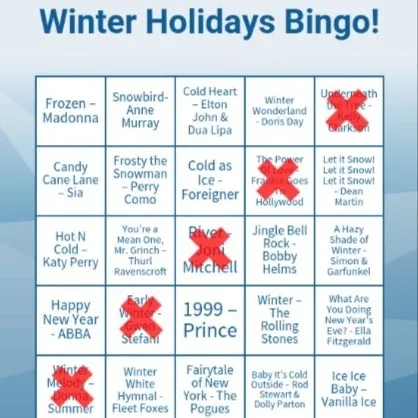
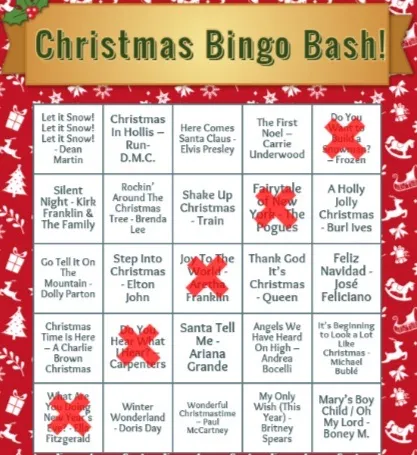
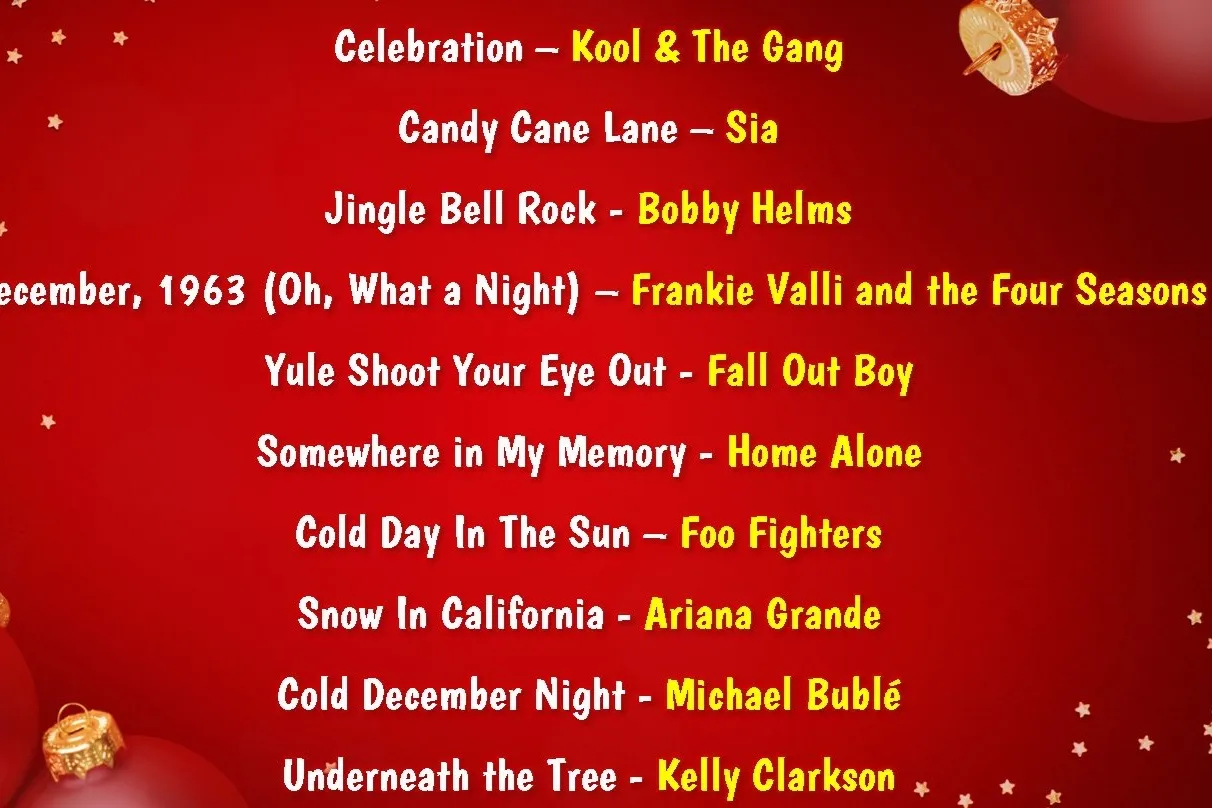
Real cards and a real playlist slide from our hosted music bingo games.
Run it yourself
How to play bingo on Zoom or Microsoft Teams
All you need is a card for everyone, someone to call the squares and the chat. No app required.
Split into breakout rooms. The official help pages show how:
- 1Share cards before the call: print this page’s card or send a PDF.
- 2Call the squares out loud, or share your screen with the list.
- 3Players mark their cards and type BINGO in chat.
- 4Check the winning line on camera.
- 5Play three rounds: a line, an X, then a full card.
Rather not run it? A host brings the music, the cards and the scoring.
See hosted bingoFree, do-it-yourself or hosted?
Three ways to play bingo at work, from a free card to a hosted night.
Free
Free card
Good for a quick icebreaker in today’s meeting. Everyone plays on this page, but nobody calls the game or keeps score.
Play the free cardDo it yourself
Run it yourself
Good when someone can prep and host. Share cards, call the squares and check the winners yourself, using the steps above.
Read our bingo team building guideHosted
Hosted music bingo
Good for a team event, a holiday party or an all-hands. A live host brings the music, the cards and the scoring.
See hosted bingoMake it yours
Ways to shape a hosted bingo game around your team.
- Musical Bingo
Tune the game
Musical Bingo can adjust difficulty, rotate through multiple cards, or add icebreakers like sing-offs and dance moments.
- Musical Bingo
Your branding
Optional branding and post-event photos.
- Bingo and Beyond!
Your questions
Bingo and Beyond! can add new questions and custom backgrounds; some requests cost extra.
- In person
In the office
Music Bingo Live comes to your office in 17 US cities.
See in-person events
Customizations need at least 4 weeks’ notice.
What our clients say
Trusted by teams at








“It's hard to bond virtually but this was the first time that i felt our team had a moment of synergy!”
“Across the board we had really great feedback — and an event like this for 400 people is no small feat!”
Virtual bingo questions
How do you play virtual bingo on Microsoft Teams?
Run it yourself: send cards before the call, share your screen with the list of squares, and have players type BINGO in chat. For team rounds, set up breakout rooms in Teams. Or book a host: our games run on Zoom by default and on Teams on request, except Music Bingo, which is Zoom only.
Is there a free bingo card we can use?
Yes, play or print the cards at the top of this page.
Do guests need an app?
No. Musical Bingo and Music Bingo cards open on a phone through a QR code or a web browser, and Bingo and Beyond! needs only a pen and paper.
How does hosted music bingo work?
A live host runs it on your video call. Every player gets a randomized card (on a phone through a QR code in Musical Bingo), the host plays song clips and reveals each song, and the first to a line wins the round.
How many people can play?
Bingo suits big groups: Meta opened a 450+ person event with Music Bingo.
How much does virtual bingo cost?
Musical Bingo and the winter and Christmas parties start at $850 for up to 25 people (about $34 each). Bingo and Beyond! starts at $975 (about $39 each), and Music Bingo is a $1,800 flat rate. You see the full price before you book, and a 50% deposit holds the date.
Can we customize the cards or playlist?
Yes. Musical Bingo can adjust difficulty, rotate through multiple cards and add optional branding. Holiday editions swap in seasonal hits. Bingo and Beyond! can add new questions and custom backgrounds; some requests cost extra. Customizations need at least 4 weeks’ notice.
Which platforms work?
Most games run on Zoom, Teams, Meet or Webex; Music Bingo is Zoom only for audio quality.
More ways to play
Virtual trivia for teams
Hosted quiz shows and themed trivia nights, with a live host on your call.
ExploreVirtual Family Feud-style games
Survey-says game shows, team against team, with a live host.
ExploreBingo team building ideas
Ways to use bingo at work, from onboarding to holiday parties.
Read the guide