How to run a caption contest at work, with 36 photo ideas
To run a caption contest at work, post one funny, work-safe photo in a team channel, let everyone reply with a caption by a deadline, vote with one emoji reaction each and crown the winner. Here are 36 photo ideas you can take yourself. Use the board below to collect captions and count votes live.
Photo idea
A stapler seated on a tiny office chair made of binder clips
No captions yet. Add the ones people post in the thread or call out in the room.

How to run a caption contest at work
Six steps, about ten minutes of setup a week. The board above does the counting when you play live in a meeting.
- Pick a photo you have the right to use. Take it yourself, stage it with volunteers or use a teammate's pet photo with their yes. Skip photos from the internet unless the license allows it.
- Post it with a deadline. “Caption contest! Reply in the thread by 3 p.m. Friday.” A deadline a day or two out gets more entries than one in an hour.
- Set the rules in one line. Up to two captions each, keep it work-safe, and joke about the photo, never about a real person.
- Vote with reactions. One reaction per person, and not on your own caption. In a room or on a call, the host reads each caption and counts hands on the board above.
- Reveal the winner. Read the top three out loud, then the winner. Ties share the crown.
- Hand the next photo to the winner. The winner picks or takes next week's photo. That keeps the contest running without one person doing all the work.
Want a host to run a creative game?
A caption contest is a great weekly habit. For a full team event, Creative Fun & Games is an hour of quick, host-led rounds where teams build, invent or act out scenarios with whatever is nearby, so the same quick wit gets a stage. Hosted games book about 2 weeks ahead.
Live-hosted, about an hour, on Zoom, Teams, Google Meet or Webex. Today’s prices:
Creative Fun & GamesStarting at $39 USD / person
Poll Points!Starting at $34 USD / person
Your Favorite Game Shows!Starting at $39 USD / person
36 caption contest photo ideas
Three sets of 12, described in words so you can take or stage each one yourself. A photo you took is a photo you can use.
Office object photo ideas
Anyone can take these at their own desk in two minutes, and objects never mind being laughed at.
- A stapler seated on a tiny office chair made of binder clips
- Three coffee mugs lined up as if they are holding a meeting
- A desk fan aimed at one sticky note flapping on the wall
- A whiteboard covered in arrows that all point at one small circle
- A lone office chair parked in the middle of an empty hallway
- A paper clip chain running from one desk to the next
- A desk lamp bent low over a document as if it is reading
- Two headsets tangled into one knot on a desk
- A tower of sticky note pads balanced far too high
- A printer with a single sheet hanging halfway out
- A laptop propped on a stack of thick binders next to a teacup
- A desk with seven chargers on it and no laptop
Animal photo ideas
Pets win caption contests. Use a teammate's pet only with the owner's yes, or a photo you took yourself.
- A cat squeezed into a shipping box that is clearly too small
- A dog resting its chin on a laptop keyboard
- A goldfish bowl beside a desk calendar
- A dog in a tiny paper party hat sitting at a desk
- A cat staring hard at a video call on a screen
- A row of ducks crossing a parking lot in perfect single file
- A squirrel on a windowsill peering into the office
- A parrot perched on the back of a desk chair
- A dog fast asleep under a standing desk
- A cat stretched out across a stack of paperwork
- A puppy dragging a laptop bag across the floor
- A pigeon standing next to a coffee cup on an outdoor table
Team scene photo ideas
Stage these with volunteers who are happy to be in the photo. Hands, backs and props work as well as faces.
- The whole team pointing at one empty chair
- A hand reaching for the last cookie on a plate
- A row of umbrellas drying open in the office entrance
- A meeting room with every chair turned to face the wall
- A snowman outside the office holding a coffee cup in a stick hand
- A long line at the microwave at one minute past noon
- A single balloon tied to an empty desk
- A pizza box opened to show exactly one slice left
- Five coffee cups clinking together over a finished project plan
- A tiny desk plant standing next to a giant lobby tree
- A delivery cart stacked high with boxes in a hallway
- A pair of sneakers peeking out from under a meeting room table
Run it in a channel, a meeting or the break room
- In a team chat channel: post the photo in Slack, Teams or Google Chat, collect captions as thread replies and vote with one emoji reaction each.
- At an all-hands: put the photo on one slide, take captions in the meeting chat for two minutes, and reveal the winner before the next agenda item.
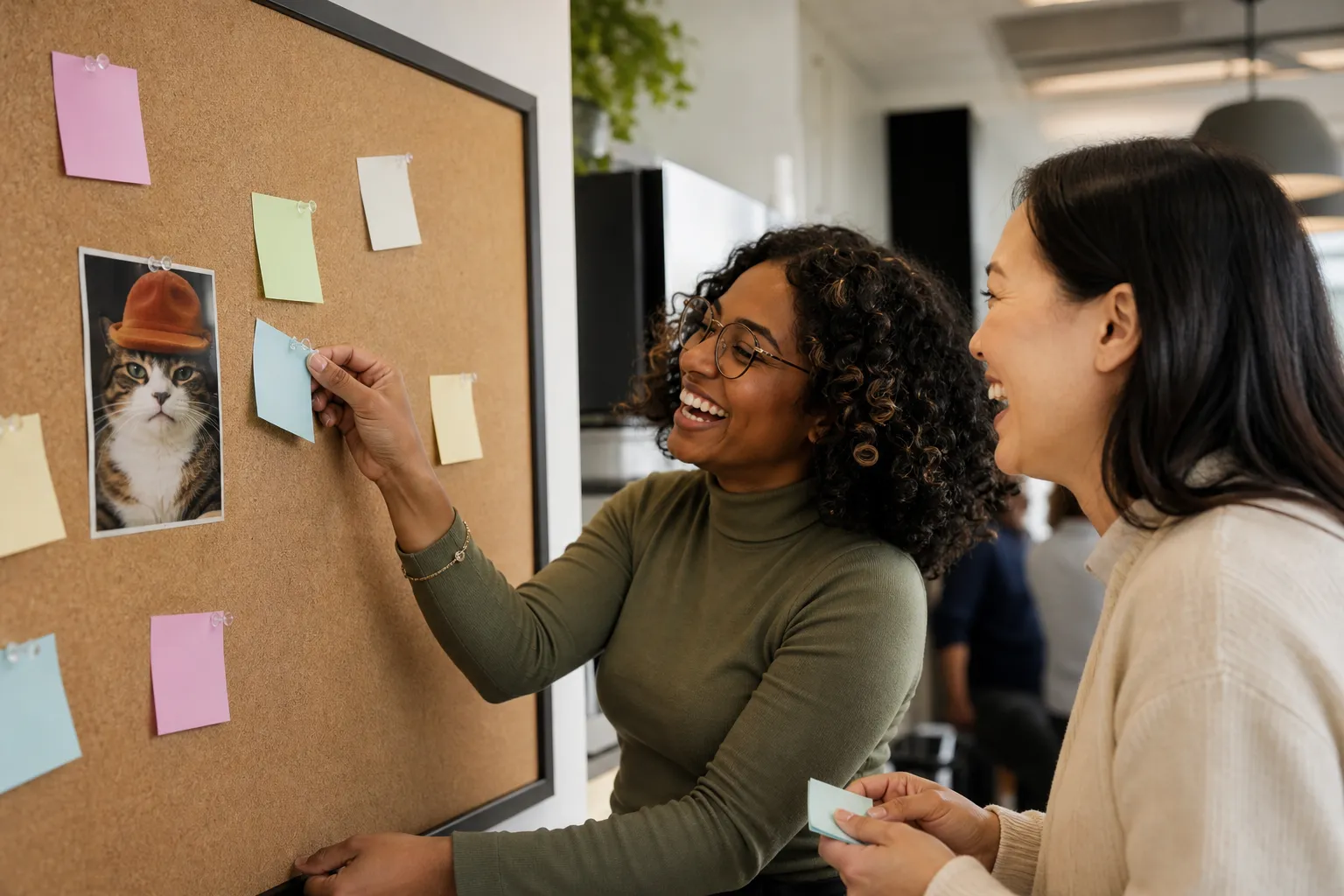
- In the break room: pin the printed photo to a board with a pad of sticky notes. People add captions all week and vote with a dot sticker.
- On video: on Zoom, Teams, Google Meet or Webex, share the photo on screen, have everyone type a caption in the chat on three, then vote with a quick poll.
Prizes that aren’t money
- Pick or take next week's photo
- Keep the traveling trophy (an old coffee mug painted gold) on their desk until the next contest
- Wear the title “Caption Champion” in their chat status for a week
- Go first at the next team icebreaker round
- Get their caption printed in the company newsletter
- First pick of the snacks at the next team lunch
- Name a meeting room for a week
- A handmade certificate signed by the whole team
Rules that keep it kind
- No photos of a coworker unless they said yes, and they can ask to take it down at any time.
- Joke about the object, the animal or the situation, never about a person's looks, age or background.
- Nothing about drinking, money, dating, religion or politics, even as a pun.
- The host can quietly leave a caption off the board, no explanation needed.
Want the room guessing too? Poll Points is a hosted survey showdown where teams guess how everyone answered.
More contests and channel games
A caption contest fits right into our Slack channel ideas next to GIF games. Out with a camera? Try a photo scavenger hunt or our group photo ideas, and print the winning captions in your company newsletter. For more ways to compete, see our office competition ideas and the Christmas contest ideas, or browse hosted virtual team games and a virtual game night.